SKLibrary

SolveKit Library

Working parts.
Complete starting points.

A separate library for production-ready components and templates, demonstrated live before you install or buy anything.

Catalogue explorer

All products

4 products

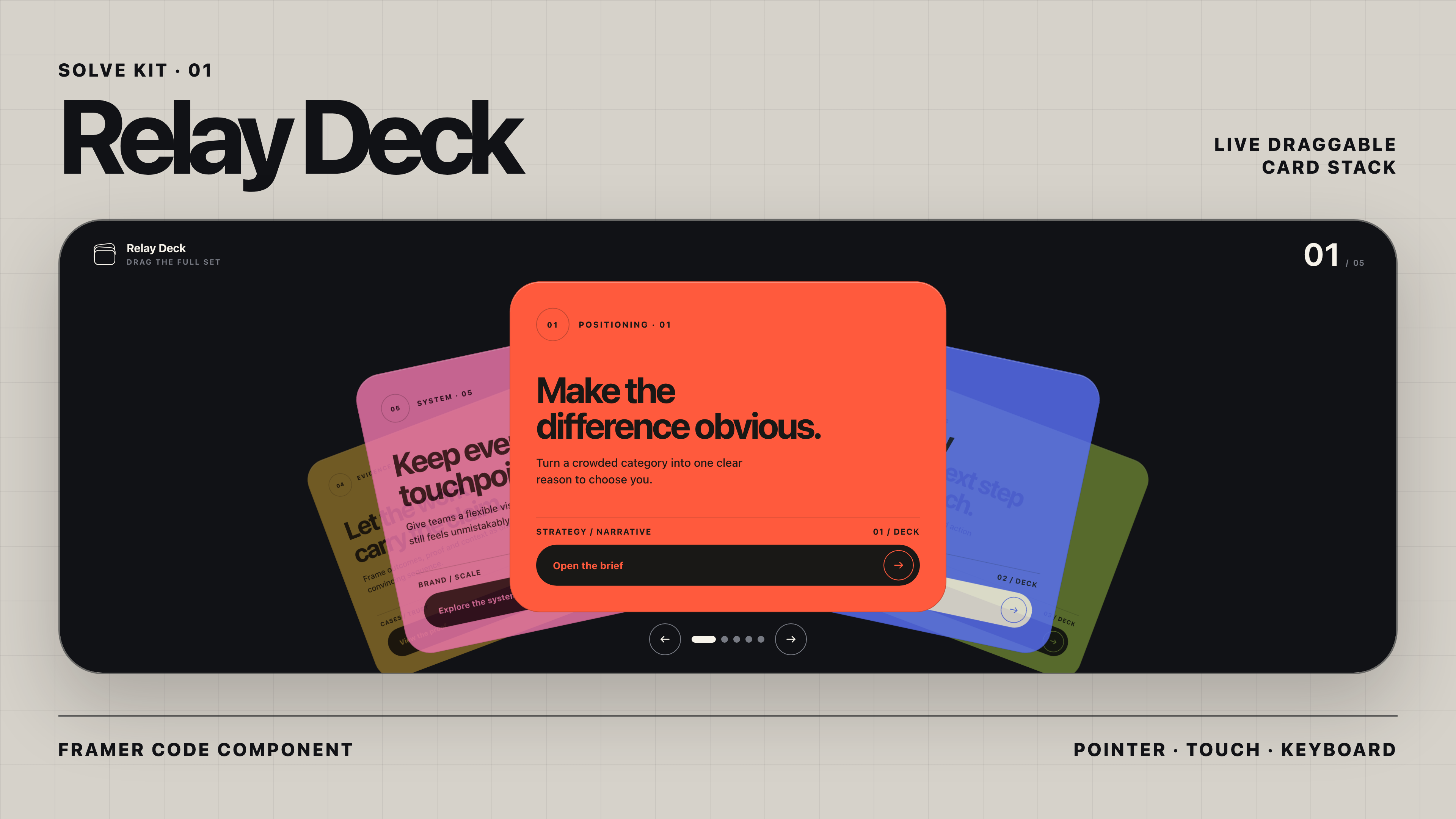
relay-deck / 1.0.0Demo ready
Relay Deck responsive draggable card stack for Framer
Framer · React · TypeScript
ComponentCarousels

Relay Deck

€9

A responsive Framer card stack where the complete deck follows pointer and touch gestures in real time.

License
Single-use commercial license
Version
1.0.0
CarouselsInteractionsInteractiveAnimatedResponsive
View product Solve Kit
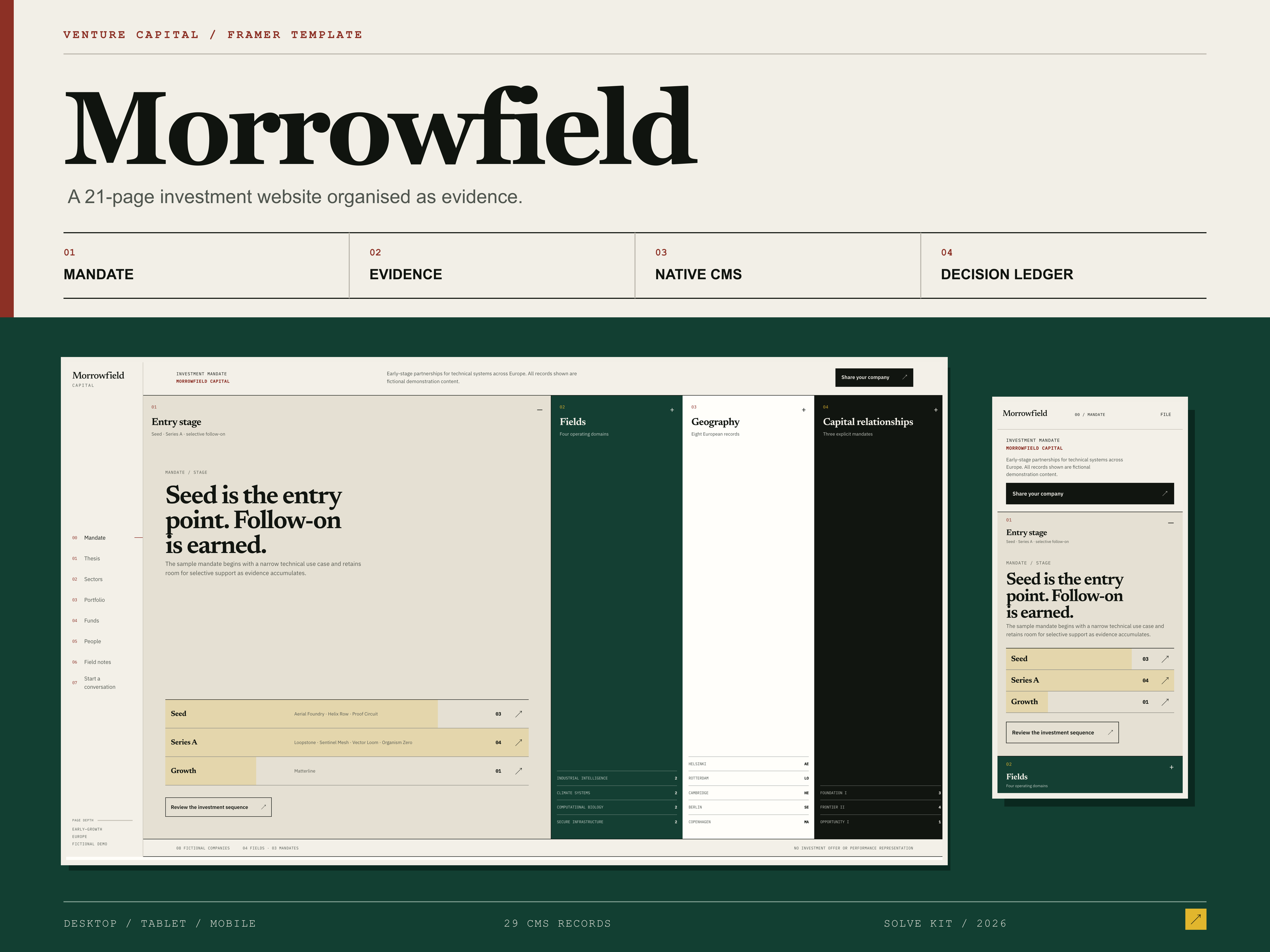
morrowfield-vc-framer-template / 1.0.0Demo ready
Morrowfield venture capital Framer template shown on desktop and mobile with native CMS and Decision Ledger sections
Framer · Framer CMS · React · TypeScript

A complete VC website template for Framer with 21 page families, seven native CMS collections and an interactive Decision Ledger.

License
Single-use commercial website template license
Pages
21
Website templatesFinanceInteractiveAnimatedResponsive
View product Solve Kit
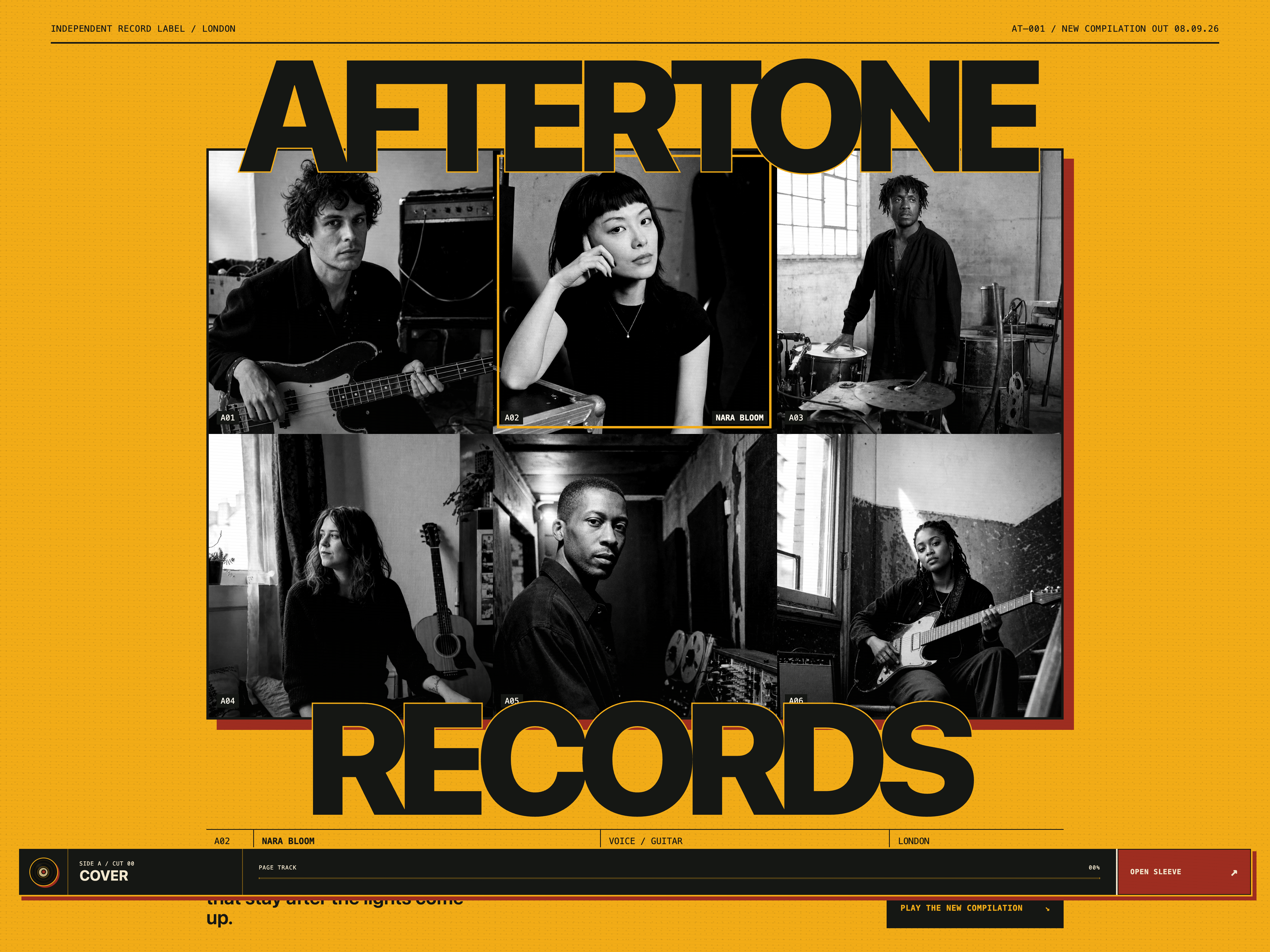
aftertone-record-label-framer-template / 1.0.0Demo ready
Aftertone record label Framer template with artist roster, releases, live dates, journal and merch shown across desktop and mobile
Framer · Framer CMS · React · TypeScript
€79

An editorial Framer CMS template for record labels and artist teams, with connected roster, discography, tour dates, journal, merch and booking journeys.

License
Single-use commercial website template license
Pages
14
Website templatesMusicInteractiveAnimatedResponsive
View product Solve Kit
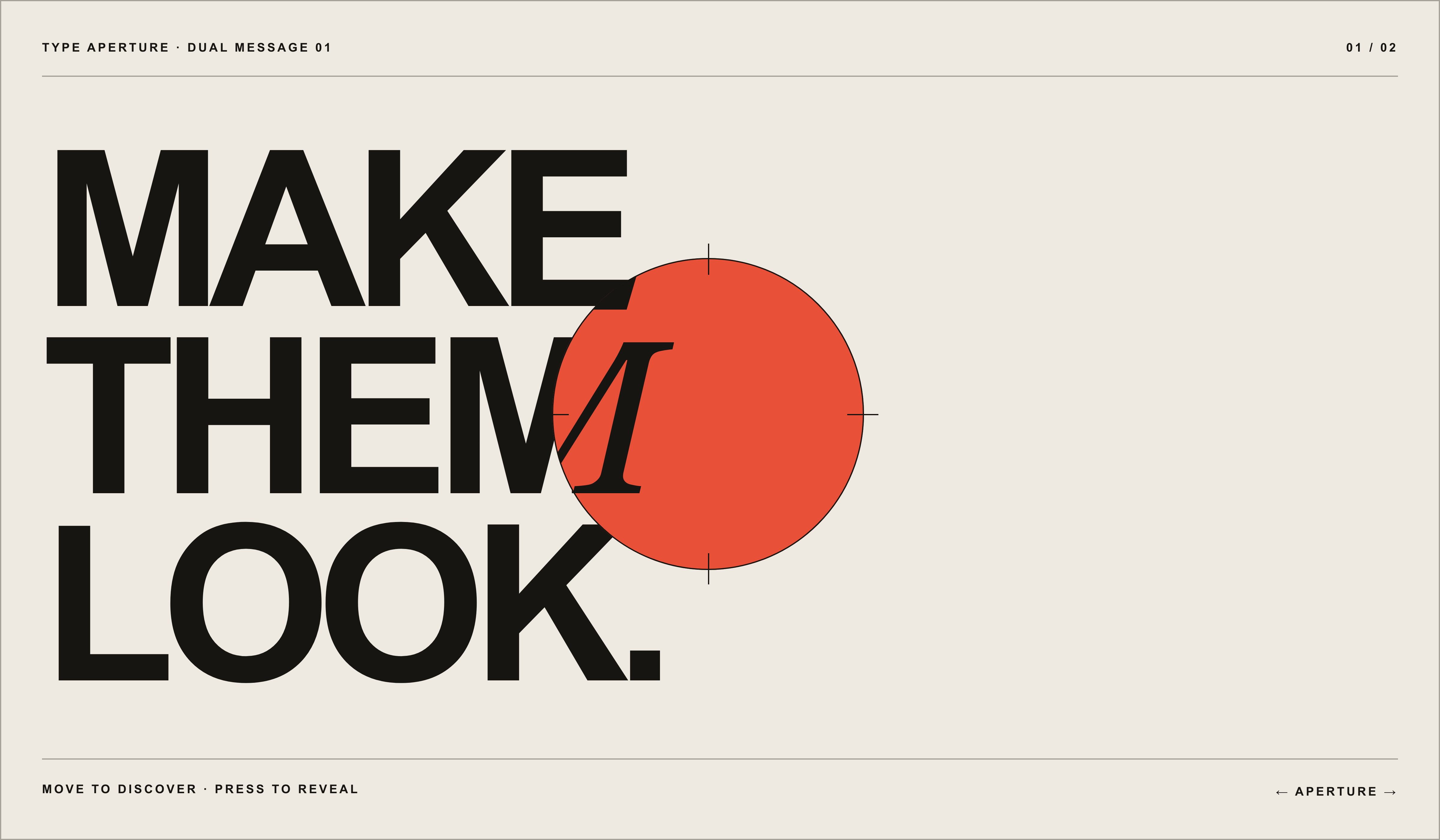
type-aperture / 1.0.0Demo ready
Type Aperture cursor text reveal in its Editorial preset
Framer · React · TypeScript · Framer Motion
ComponentInteractions

Type Aperture

€9

A cursor-tracked dual-message headline for Framer with five presets, touch, keyboard controls and reduced-motion support.

License
Single-use commercial license
Version
1.0.0
InteractionsTypographyInteractiveAnimatedResponsive
View product Solve Kit

01—03 / Workflow

From catalogue to working project

Every product page follows one repeatable path. No custom page build is needed for the next release.

  1. 01

    Inspect it live

    Open the real interaction in an isolated full-viewport viewer and use responsive controls when the product provides them.

  2. 02

    Check the fit

    Read compatibility, dependencies, accessibility notes, included pages, license, version, and changelog.

  3. 03

    Install with context

    Copy the verified snippet or download the real package with the instructions attached to that release.

Release notes. No noise.

New products and updates that change what you can build.

We will write only when a real Library release has its demo, files, and documentation ready.

We store your address only for that roundup, and only from the day it starts. Nothing reaches you before then. You can request removal through our privacy page.