v1.0
- Initial release with five presets, Custom mode, responsive interaction, keyboard support and reduced-motion handling.
A cursor-tracked dual-message headline for Framer with five presets, touch, keyboard controls and reduced-motion support.

Interactive demo
Test the interaction, responsive sizes, and real controls without leaving the product page.
Opens full viewport inside this same product page.
What it solves
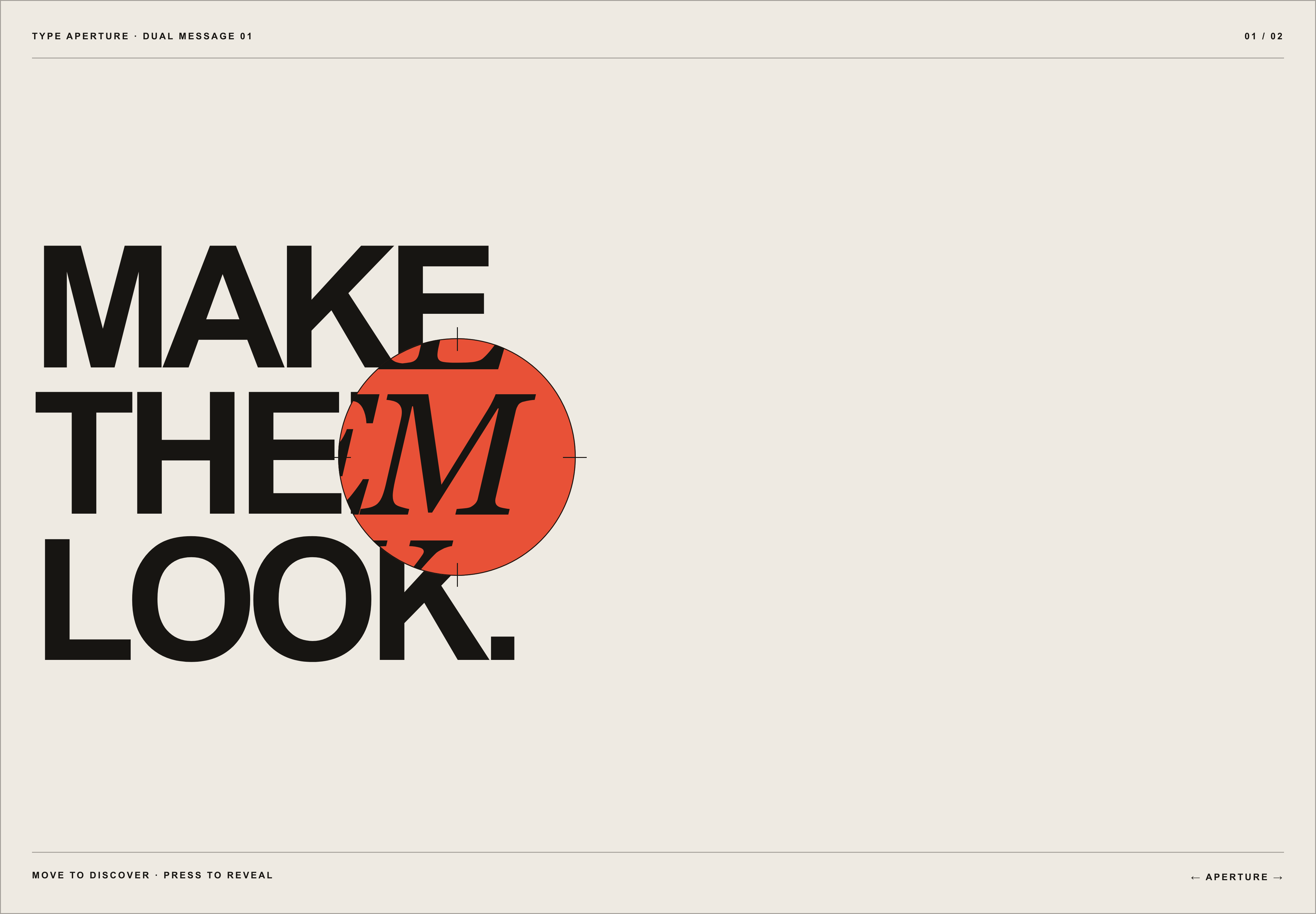
Type Aperture is an interactive text reveal component for Framer. As the cursor moves, a circular mask uncovers a second headline beneath the first; a click or tap expands the reveal from that exact point. Use it for animated hero headlines, portfolio introductions and editorial campaign typography. Built with Framer Motion, with five presets, touch and keyboard support, and reduced-motion handling.
Two editable multiline text layers
Cursor-tracked circular reveal
Expansion from the exact click or touch position
Five art-directed presets plus Custom mode
Responsive mouse, touch and keyboard behavior
Reduced-motion and Framer Canvas handling
Documented situations for this product release.
Portfolio and studio hero sections
Editorial campaign headlines
Brand statements with a second meaning
Interactive case-study openings
Creative landing pages
Images and videos published specifically for this release.
Declared and reviewed values for this specific release; they are not inherited automatically by an update.
These instructions are published as part of this release manifest.
The published manifest marks this release as accessible and declares keyboard support in its demo. This is product information, not third-party conformance certification.
The demo loads only when you open it, unmounts when closed, and never adds its dependencies to SolveKit’s main bundle.
v1.0
Use Type Aperture in one personal, commercial, or client Framer project. Each additional project requires another license. Redistribution and resale are prohibited.
Published data for identifying this release file and checking it after download.
No. Install it through the supplied Framer Component URL and configure it from Framer's property panel.
Yes. It supports compact layouts, touch dragging and tap-to-reveal behavior.
Yes. Arrow keys move the aperture, while Space and Enter toggle the full reveal.
Yes. Non-essential transitions and the automatic discovery movement are removed when reduced motion is requested.